Every Element in Its Place

I gave Bolt a second chance. It gave me exactly what I asked for.
The idea
I’d been catching up on chemistry through Khan Academy. Turns out the subject I hated in school is actually fascinating when nobody’s grading you. I still prefer building things to studying them, so naturally I wanted to build something. An interactive periodic table: color-coded categories, click for details, hover for a quick view. A well-defined problem with well-documented data.
I’d tried Bolt once before, right at the end of 2024. My prompt asked for React 19 and Tailwind 4. Bolt’s first move was to correct me: “I apologize, but I should point out that React 19 is not yet available. Also, Tailwind 4 is not released yet.” The timing was awkward. React 19 was only just arriving, and Tailwind 4 had not shipped yet. The tool’s opening move was to tell me what I couldn’t have. That first attempt was tentative, and nothing memorable came of it.
A few months later, Apple had just unveiled its Liquid Glass aesthetic, and I wanted to see if Bolt could fake that translucent look. Frosted glass cards, translucent overlays, backdrop blur. I opened bolt.new and typed a new prompt. You can see the result yourself.
What I got
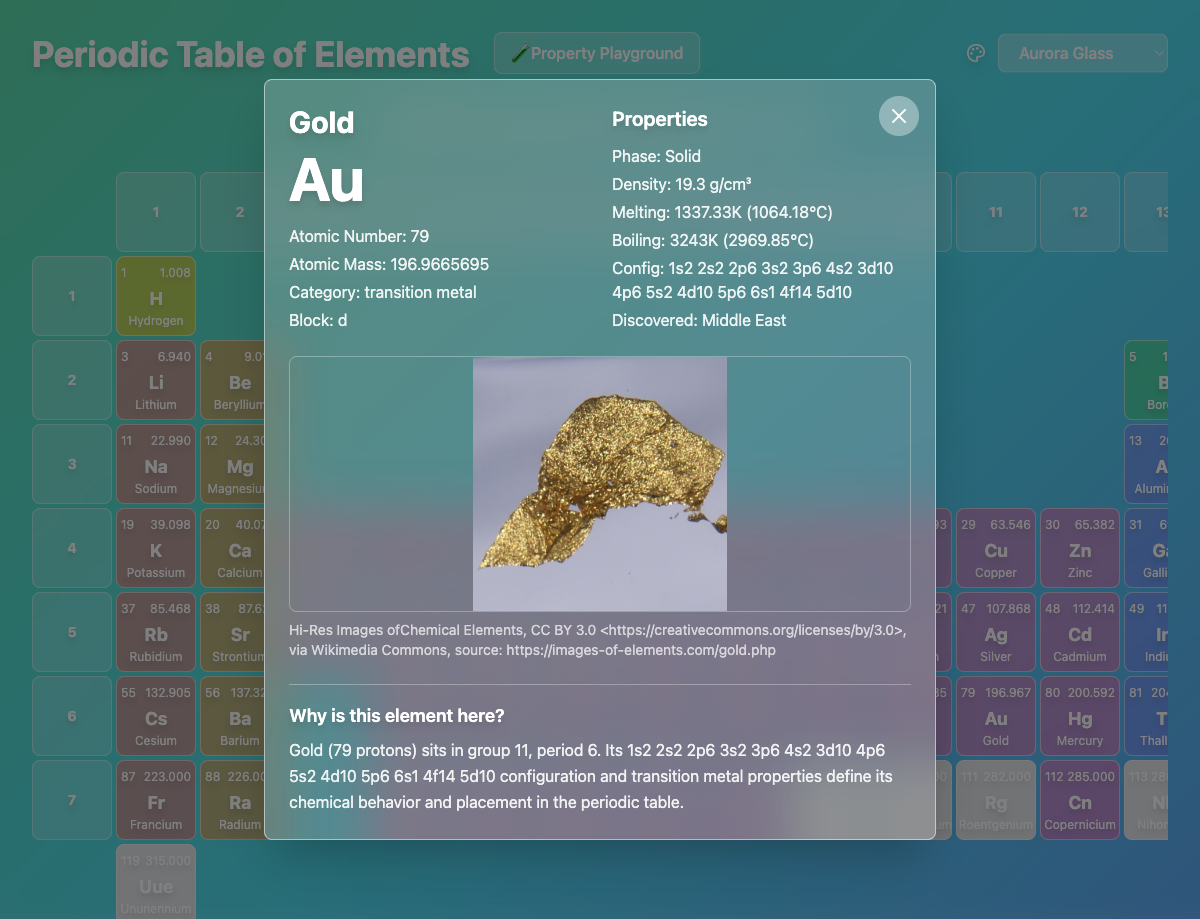
About forty core commits in a little over a day. Roughly two dozen source files. Just over 7,000 lines of TypeScript, most of them element data. React, Vite, Tailwind, Lucide icons. The periodic table, with category colors, search, hover tooltips that stay on screen, and detail popups with element images and electron configurations.
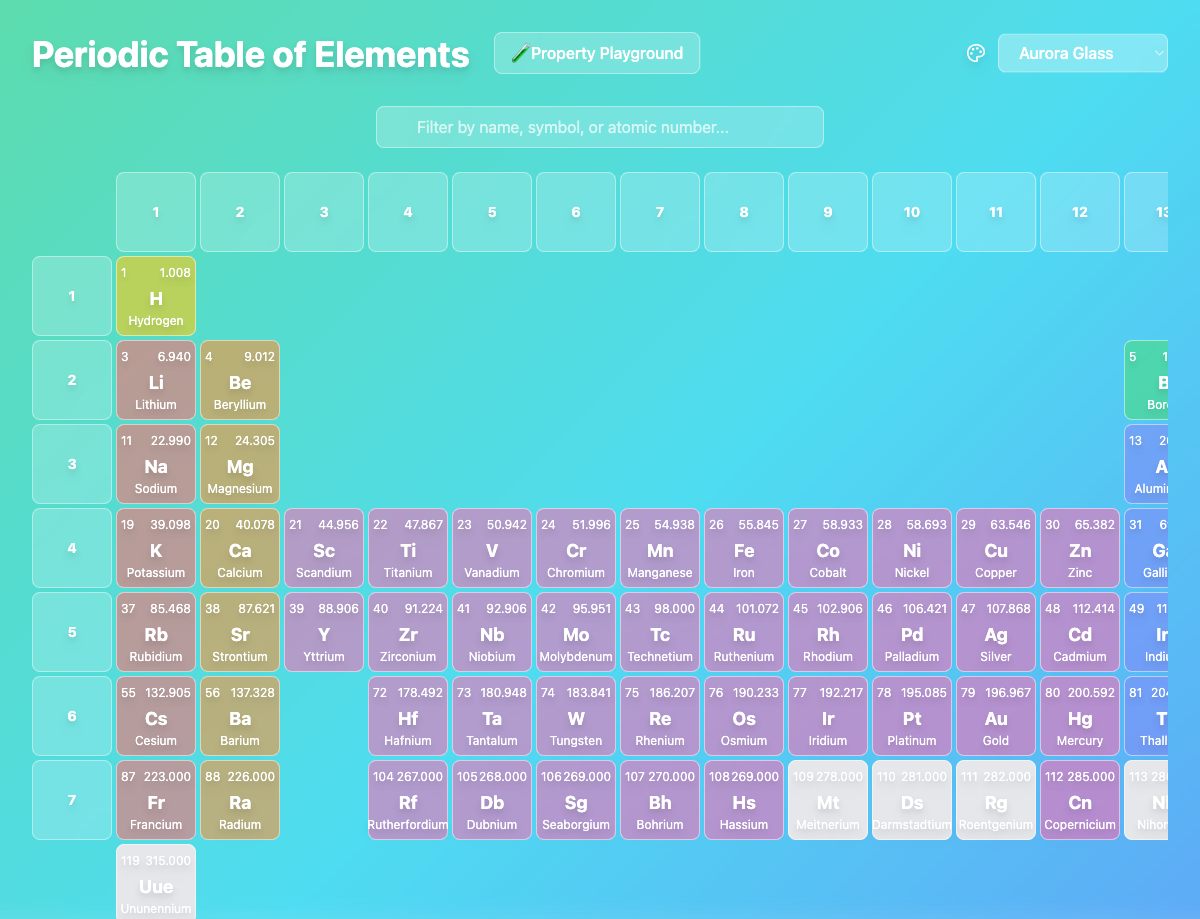
The element data was broadly complete and correctly structured. When the domain has a single correct answer for each field, Bolt excels at sourcing and structuring the information.
The code, though, has a particular quality. Functional but mechanical. Here is how both App.tsx and PropertyPlayground.tsx decide whether to render the glassmorphic overlay:
{(currentTheme.id === 'glassmorphic' ||
  currentTheme.id === 'dark-glass' ||
  currentTheme.id === 'vibrant-glass' ||
  currentTheme.id === 'aurora-glass' ||
  currentTheme.id === 'sunset-glass' ||
  currentTheme.id === 'forest-glass') && (
  <div className="absolute inset-0 backdrop-blur bg-white/20"></div>
)}
This exact block appears twice, verbatim, in two separate files. A developer would put a glass flag on the theme type and check that. One boolean, defined once, instead of six string comparisons pasted twice. Bolt produced code that works. It did not produce code that knows its own structure.
What I had to fix
No catastrophe here. No nine-day debugging saga. Something quieter and harder to point at.
Grid spacing took six commits:
// Commit 1: too much space
<div className="grid grid-cols-18 gap-4 min-w-max mx-auto">

// Commit 6: custom grid with precise control
<div className="grid grid-cols-periodic-table-cols
     grid-rows-periodic-table-rows gap-1 min-w-max mx-auto">
What it looked like, over six commits, was a model twiddling numbers without any visual feedback loop. The CSS was valid every time. The layout was wrong every time.
Dialog closing: three commits for backdrop clicks, close button, Escape key. Tooltip positioning, z-index layering, a reference error. Fourteen commits across the project, none of them hard, all of them avoidable.
When speech recognition breaks, you know you have a problem. When everything works but took fourteen commits to get there, there’s nothing to diagnose. You just lost a day.
What I didn’t expect
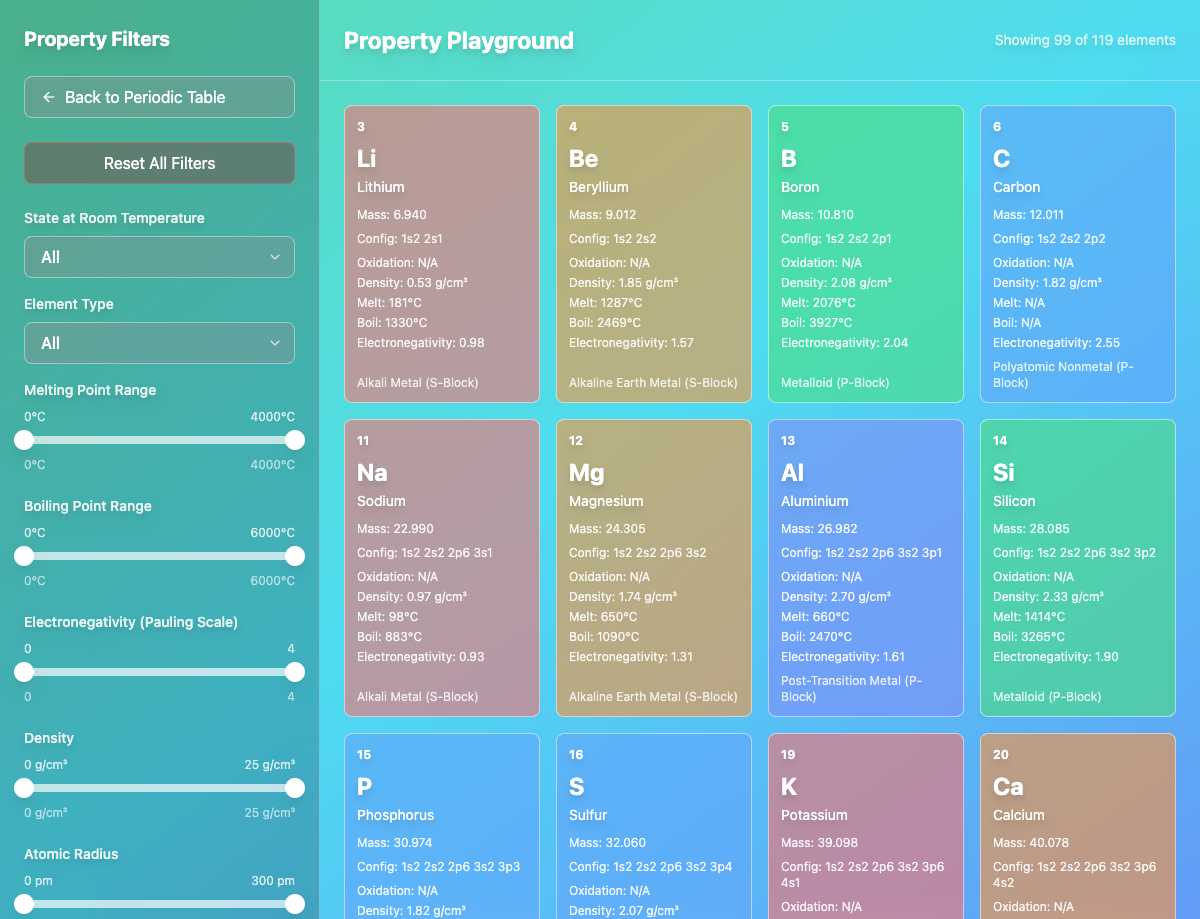
The Property Playground. I expected the periodic table grid to be the main achievement and the filtering sidebar to be an afterthought. The opposite happened. Eight different filters. Dual-thumb sliders that behaved properly. A sidebar that collapsed cleanly on mobile. Not just functional, but thoughtful. The most ambitious feature was the one Bolt handled best.
What does it mean when a tool’s best work is on the feature you expected least from it? Is it because the Property Playground is a pure logic problem: filter arrays, compare ranges, render results? No visual judgment calls there. No browser quirks. Just data in, data out. Or is it something else about the way these tools handle complexity when the rules are clear? I’m not sure I have the answer yet.
There is a Hollywood trope of coders typing impossibly fast, screens reflected in their glasses. It is silly. But the trance underneath it is real. The state where your fingers know the next keystroke before your conscious mind catches up, where refactoring feels like movement, not thought. You can voice-chat your way to a working program now. That trance no longer lives in typing.
What I do know is that I used to think about code the way a carpenter thinks about wood. These days I think about it the way a client thinks about a contractor. The satisfaction moved, and I haven’t found where it went.
The lesson
I built two full applications with Lovable. Complex ones, with real users. With Bolt, after multiple attempts, including one on hackathon credits, I shipped a periodic table. The honest conclusion: it’s not Bolt. It’s me. Some tools click with some developers.
The vibe coding conversation rarely accounts for this. Tool comparisons measure features, benchmarks, output quality. They don’t measure what it feels like to sit with a tool for hours, coaxing it toward something you can almost see, whether you leave the session energized or drained. That invisible friction determines what you actually ship.
Every element is in the right place. The layout is correct. But chemistry isn’t about placing elements on a grid. It’s about the reactions between them.